Start with a picture
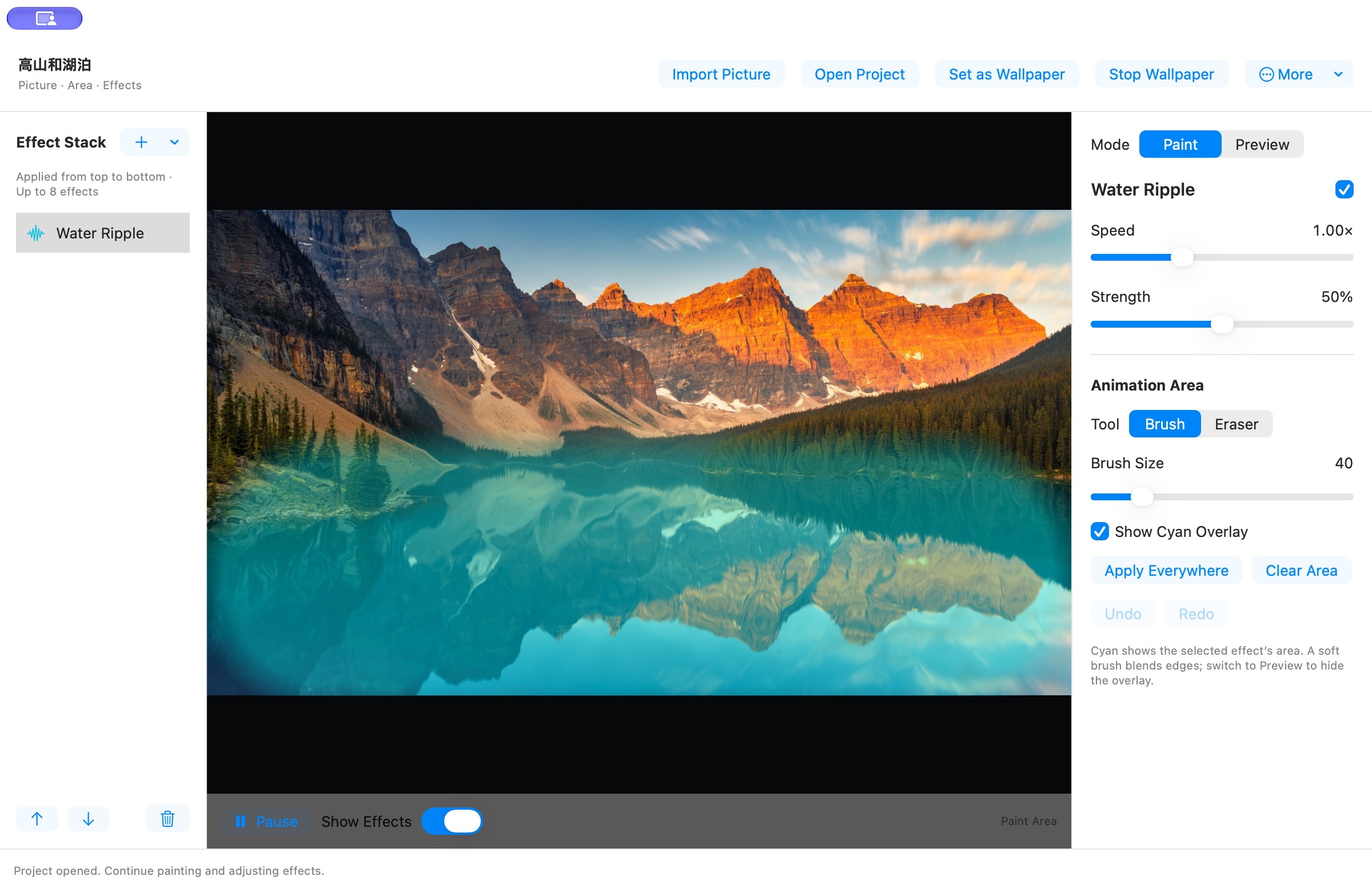
Import PNG, JPEG, HEIC or TIFF. The included Mountains and Lake scene lets you try motion right away.
Dynamic Wallpaper Workshop is a Mac dynamic wallpaper app for macOS 13 and later. Browse animated backgrounds, turn a favorite photo into a live wallpaper, or use your own video as your desktop background.
macOS 13+ · No in-app purchases · No subscriptions
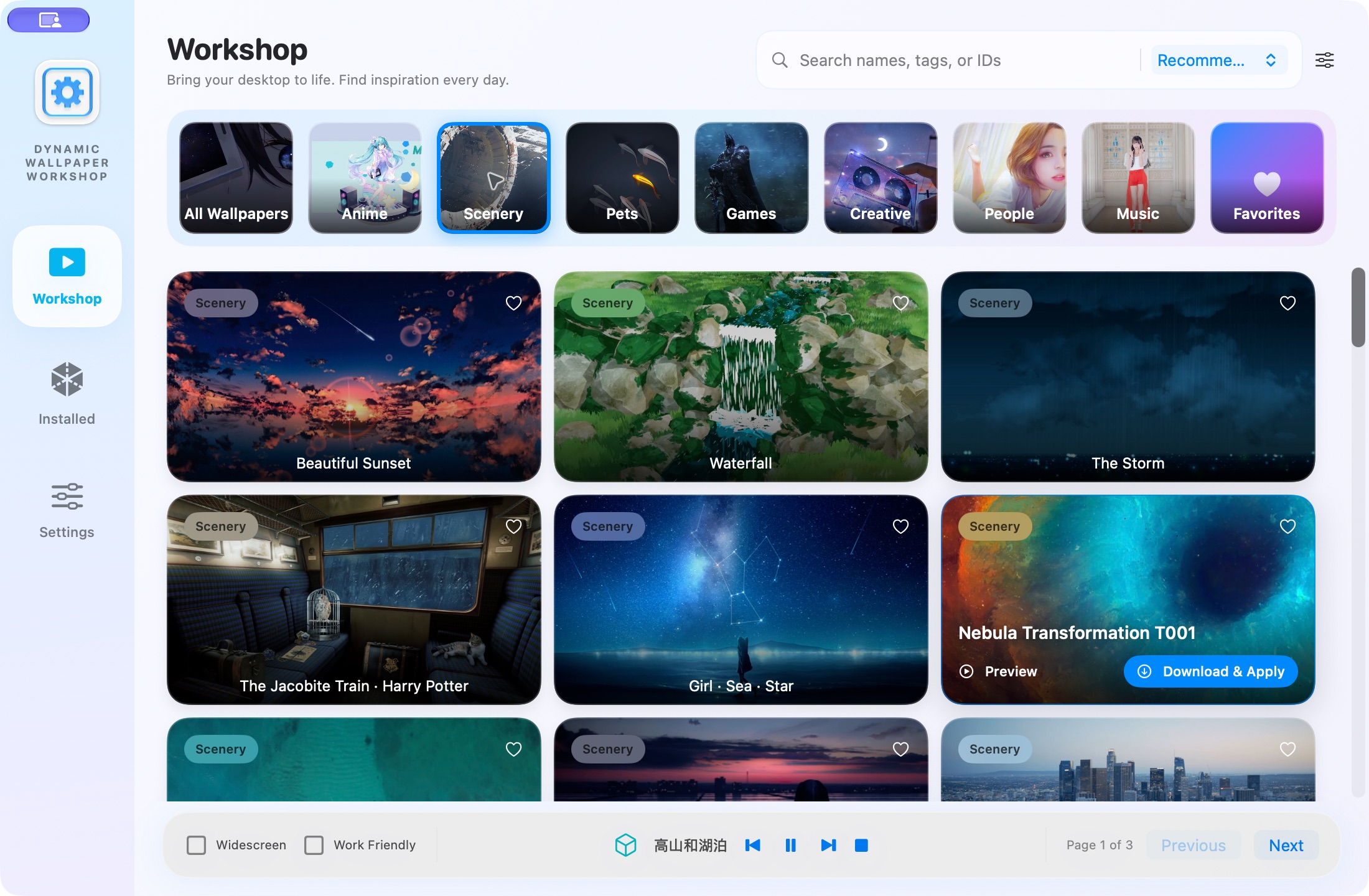
Browse the Workshop by category, search for a favorite, preview wallpapers and download them to your library. Keep the ones you love in Favorites, or import a local video.
Import PNG, JPEG, HEIC or TIFF. The included Mountains and Lake scene lets you try motion right away.
Paint with a soft brush and refine with the eraser. Add ripples, foliage sway or shimmer, then adjust speed and strength.
Set it as your desktop wallpaper, or export a 1080p or 4K looping MP4 with an automatically selected loop of up to one minute.
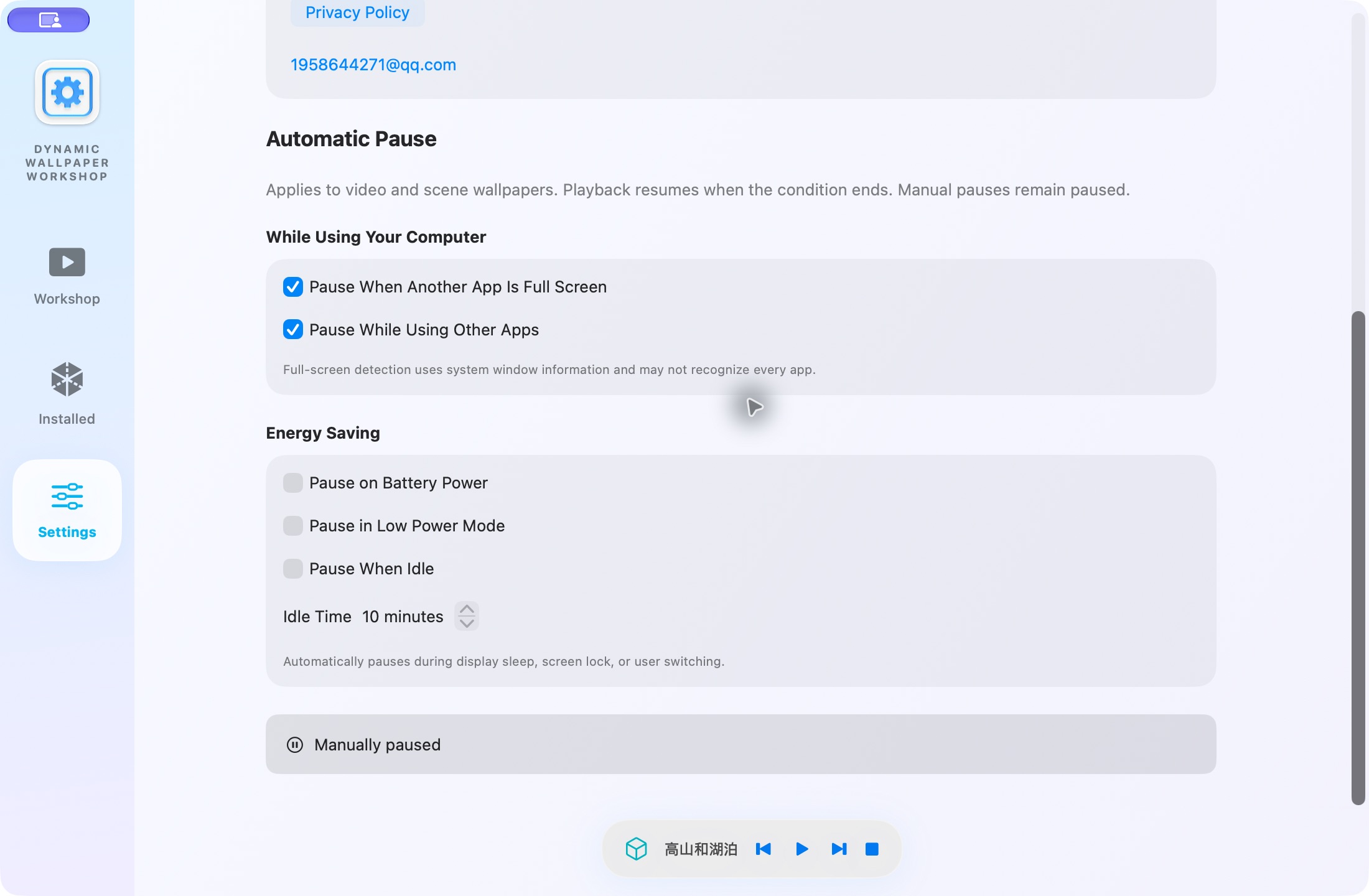
Choose when wallpapers pause: while another app is full screen or in use, on battery power, in Low Power Mode, or when your computer is idle. Playback resumes when the selected conditions clear.
Give each effect its own painted area, then tune the speed and strength. Save your project to keep creating later, or export a video to keep the result.
Dynamic Wallpaper Workshop lets you import local video wallpapers and some compatible Wallpaper Engine scene projects on Mac. Scene playback depends on the project format and effects; full compatibility is not guaranteed. This is an independent macOS wallpaper app, not the official Wallpaper Engine product or an affiliated service.
No. Metal comes with the system and the release includes compiled shaders. Just install the app.
The app looks for an animation period first. When no suitable period is found, it uses a brief crossfade, which may show some ghosting. Exports range from 1 to 60 seconds.
Use Stop Wallpaper in the main window or menu bar. Playback pauses when displays sleep, resumes when they wake, and stops when the app quits. Videos can play on the main display or the same video on all displays. Scene wallpapers play on the main display.
MP4 exports are silent videos without live interaction. Clock text is fixed at the export time.
Use the email address at the bottom of this page. Include your system version, a description and optional screenshots.

No in-app purchases. No subscriptions. Just your next favorite view.
Get Dynamic Wallpaper Workshop ↗Pricing varies by region. See the App Store for the current offer.